> For the complete documentation index, see [llms.txt](https://docs.amfi.finance/amfi-whitepaper-pt/llms.txt). Markdown versions of documentation pages are available by appending `.md` to page URLs; this page is available as [Markdown](https://docs.amfi.finance/amfi-whitepaper-pt/investindo-nos-pools-amfi/processo-de-investimento.md).
# Processo de investimento
Após o cadastro, é possível ver todos as oportunidades disponíveis para investimento:
Ao clicar em uma oportunidade, você pode ver todos os seus detalhes:
Como buscamos proporcionar o máximo de transparência a nossos usuários, na página pacote de documentos relevantes você poderá ver:
* Visão geral da operação
* Política do Pool com todos os critérios de elegibilidade e regras de negócios
* Visão geral do originador com operações anteriores e detalhes
* Direitos dos investidores
* O contrato AmFi assinado pelo originador ao abrir o pool
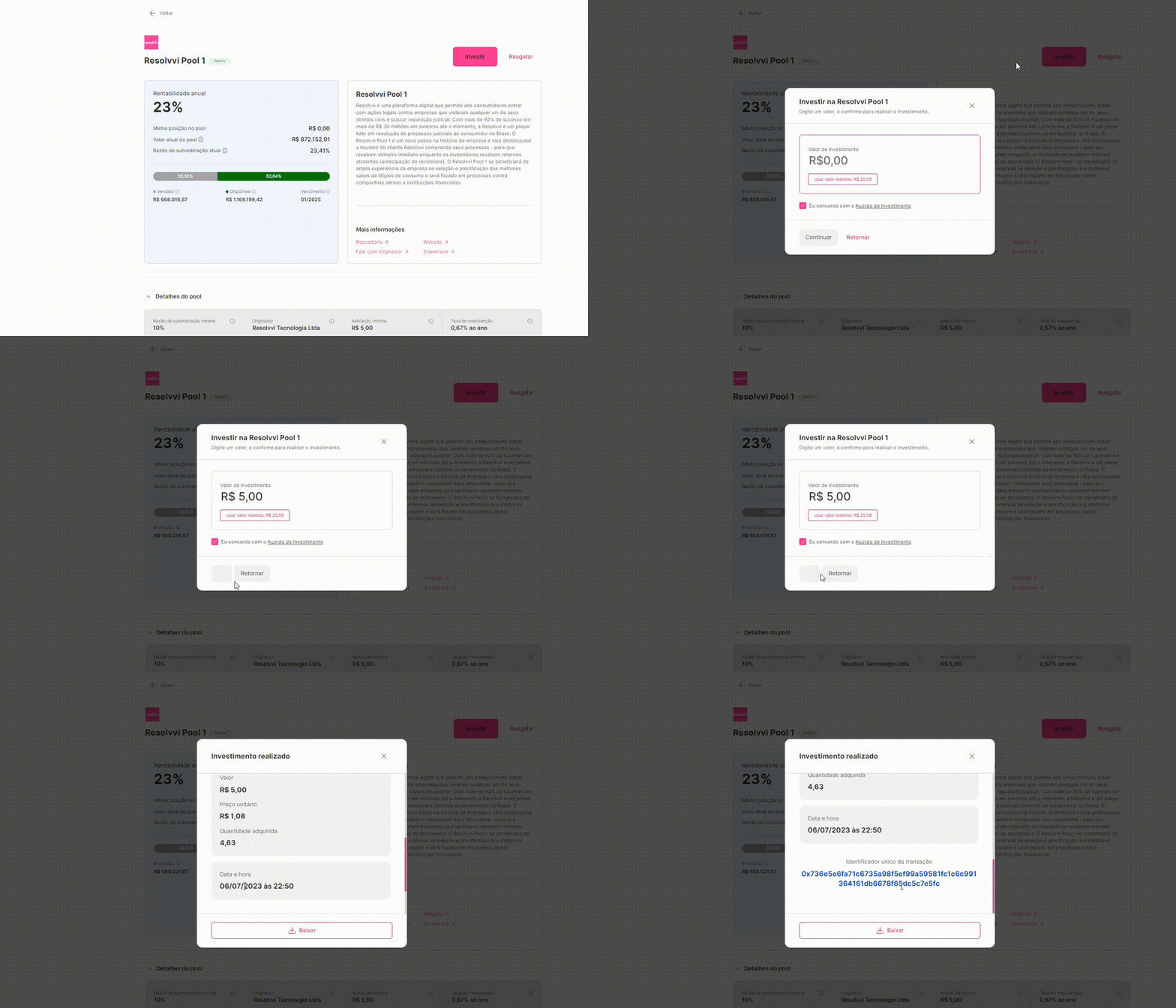
Depois de selecionar um pool para investimento, o processo final é muito simples:
1. Na tela final, basta clicar em "Investir"
2. Selecione o valor que deseja investir
3. Aprove a transação
4. Clique em "Investir"
5. Feito!
\
Veja o processo:
Simples assim, você interagiu com a blockchain e investiu no pool de sua escolha.\
\
Você receberá por email um comprovante do seu investimento e poderá acompanhar o desempenho da sua posição na tela "Meus investimentos":\